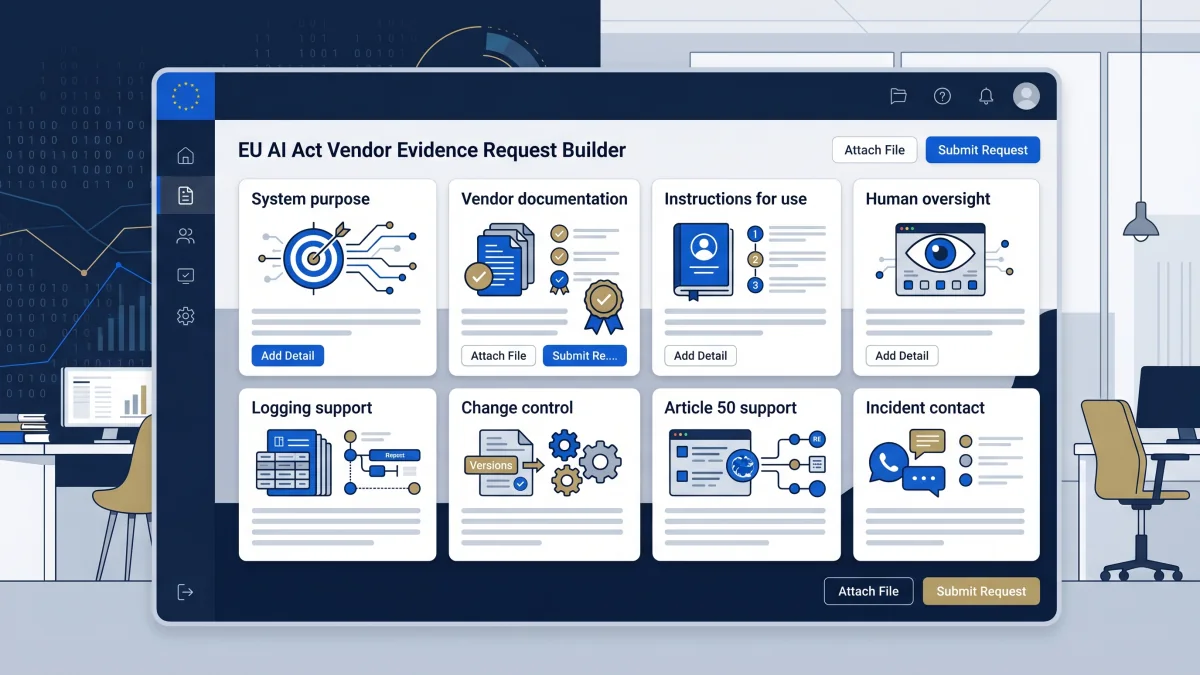
Quick answer
EU AI Act vendor evidence request work means asking an AI supplier for the records a deployer needs before relying on the system. This builder creates a tailored request list, internal owner checklist, red-flag questions, and escalation notes. It does not prove compliance or replace legal, privacy, security, procurement, or sector review.
Current-law planning note
The builder uses a conservative current-law baseline. Article 13 covers deployer-facing instructions for high-risk AI systems; Article 25 can affect role allocation when a deployer rebrands, substantially modifies, or changes intended purpose; Article 26 sets deployer obligations for high-risk AI systems; Article 50 sets transparency obligations for certain AI systems; and Annex IV lists technical-documentation categories that may inform provider evidence requests.
This tool is educational. It is not legal advice, a compliance guarantee, or a substitute for qualified counsel. Do not enter confidential vendor documents, personal data, employee or applicant data, client data, privileged material, API keys, prompts, production logs, credentials, or trade secrets into the page.
Build your vendor evidence request
Local-only builder
Vendor evidence request workspace
Use a working name, select the procurement context, and mark the evidence triggers. The request is generated in this browser and should be reviewed before sending to a vendor.
Input discipline: do not enter real vendor confidential documents, personal data, applicant or employee data, client names, prompts, logs, API keys, credentials, privileged material, or production identifiers.
Output appears here
Complete the form to generate a practical evidence request pack. The tool runs in your browser. It does not send answers to EU AI Compass.
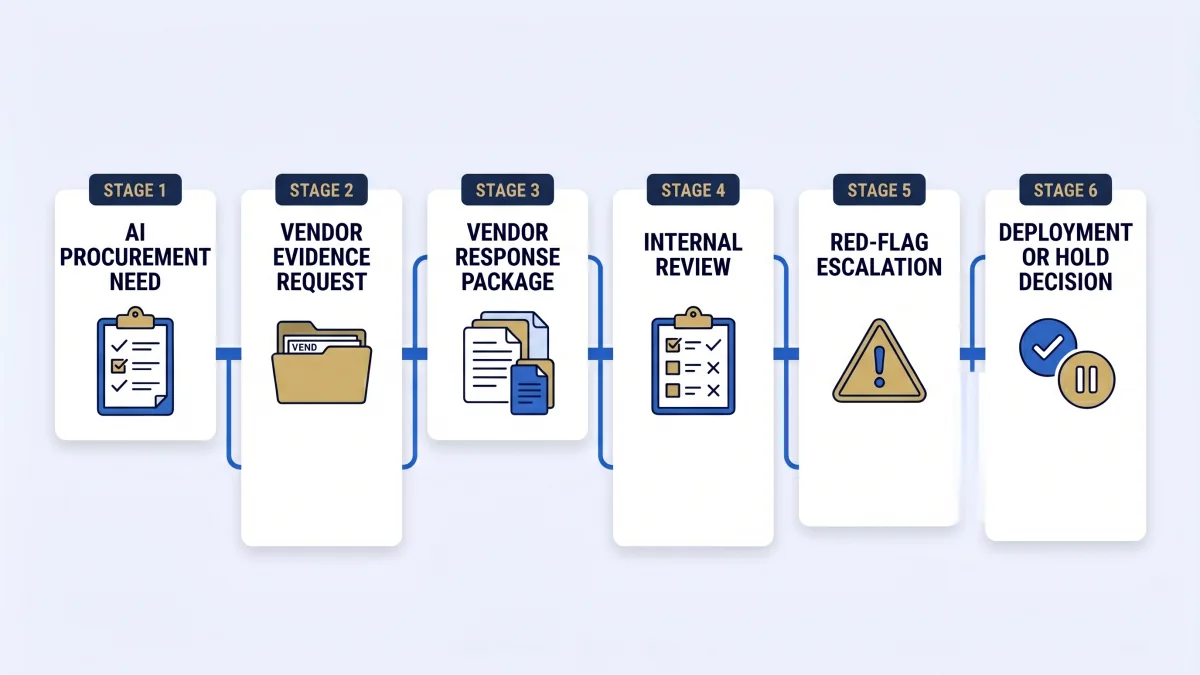
Evidence categories the builder covers
| Category | What to request | Why it matters |
|---|---|---|
| System identity and purpose | System name, intended purpose, target users, deployment constraints | Prevents vague vendor claims from replacing a system-specific record. |
| Instructions and limitations | Instructions for use, prohibited uses, known limitations, required human oversight | Supports deployer operating controls and user instructions. |
| Technical documentation support | Where applicable, deployer-facing technical documentation references, conformity documentation summaries, standards used, and post-market monitoring contacts | Gives procurement and governance teams a route from vendor claims to retained evidence without treating the request as a compliance certificate. |
| Logs and monitoring | Available logs, retention support, audit events, monitoring handoff | Helps the deployer plan evidence retention and operational review. |
| Change control | Model updates, version changes, release notes, notification window | Protects against silent changes that alter risk, performance, or evidence assumptions. |
| Transparency support | Disclosure text, AI-generated content marking, deepfake support, chatbot notices | Supports Article 50 review where transparency obligations may be triggered. |
| Incident handoff | Incident contact, escalation route, support SLA, evidence-preservation process | Makes incident response actionable instead of relying on sales assurances. |
Common red flags
- The vendor cannot explain the intended purpose or limitations of the AI system.
- The vendor claims “EU AI Act compliant” without mapping evidence to the system, role, and deployment context.
- The vendor will not provide instructions for use, logging support, change-control terms, or incident contacts.
- The vendor says the deployer has no obligations because the vendor owns the model.
- The vendor cannot support Article 50 transparency review for user-facing or content-generating AI.
- The contract allows silent model or system changes without deployer notification.
FAQ
A vendor evidence request is a structured set of questions and document requests sent to an AI supplier before procurement, pilot, renewal, or deployment. The request should collect evidence inputs such as intended purpose, instructions for use, limitations, logging support, oversight support, Article 50 transparency support, incident contacts, and change-control information.
This builder is for deployers, procurement owners, CISOs, DPOs, legal teams, compliance leads, vendor managers, and product owners reviewing an AI system supplied by a third party. It is most useful before a contract is signed, before a pilot moves into production, or when a vendor renews or materially changes the system.
No. Vendor documentation is an input to deployer evidence, not a compliance certificate. A deployer still needs records for how the system is used, who owns it, what human oversight exists, which logs are retained, what notices are shown, and which unresolved gaps need legal, privacy, security, procurement, or sector review.
Start with the system identity, intended purpose, instructions for use, limitations, model or system change policy, logging support, human oversight support, incident escalation contact, security documentation, deployer-facing technical documentation references where available, and any Article 50 transparency support. If the AI system may be high-risk, ask for more detailed evidence before production use.
The builder adds an enhanced evidence set when the user selects high-risk or unsure high-risk signals. That enhanced set focuses on documentation support, risk-management evidence, oversight instructions, logging, performance limits, post-market monitoring contact points, and escalation items for qualified legal, privacy, security, procurement, or sector review.
Article 50 affects the request when the AI system interacts with people, generates or manipulates content, supports deepfakes, performs emotion recognition or biometric categorisation, or produces public-interest text. In those cases, ask the vendor what disclosure, marking, notice, watermarking, or implementation support they provide.
If scope is unclear, use a conservative request. Ask the vendor to clarify role assumptions, EU market use, intended purpose, high-risk indicators, transparency triggers, human oversight support, logging, and change-control process. Then run the EU AI Compass high-risk checker and deployer obligation assessment before relying on the output.
Legal, privacy, security, procurement, employment, and sector specialists should review the output before high-risk deployment, employee-facing use, biometric or emotion-recognition use, public-sector use, healthcare or financial use, sensitive-data processing, production launch, or any regulator-facing response.
Source and review note
The EU AI Act baseline was reviewed on 2 September 2026 against Regulation (EU) 2024/1689 as amended by Regulation (EU) 2026/1744 and the consolidated text current from 27 July 2026. The broader evidence-request tool content was last reviewed on 3 May 2026. The page is an operational evidence-request aid, not a legal interpretation.
- AI Act Service Desk: Article 13
- AI Act Service Desk: Article 25
- AI Act Service Desk: Article 26
- AI Act Service Desk: Article 50
- AI Act Service Desk: Annex IV
- European Commission: AI Act overview
Educational only. Not legal advice. Do not use this output as a compliance certificate or regulator-facing response without qualified review.
Start with the request builder
Use the tool to create the first vendor evidence request. Then route unresolved items into the 30-day evidence planner.
Generate vendor evidence request →