Do not start with a policy. Start with the record.
For Google AI use, the first useful EU AI Act readiness step is a short inventory row: feature, owner, purpose, data touched, output audience, human review, and evidence location. Once the record exists, the team can decide whether Article 50, Article 4, vendor evidence, privacy review, deployer duties, or human oversight needs a deeper check.
Use the tool that matches the problem in front of you.
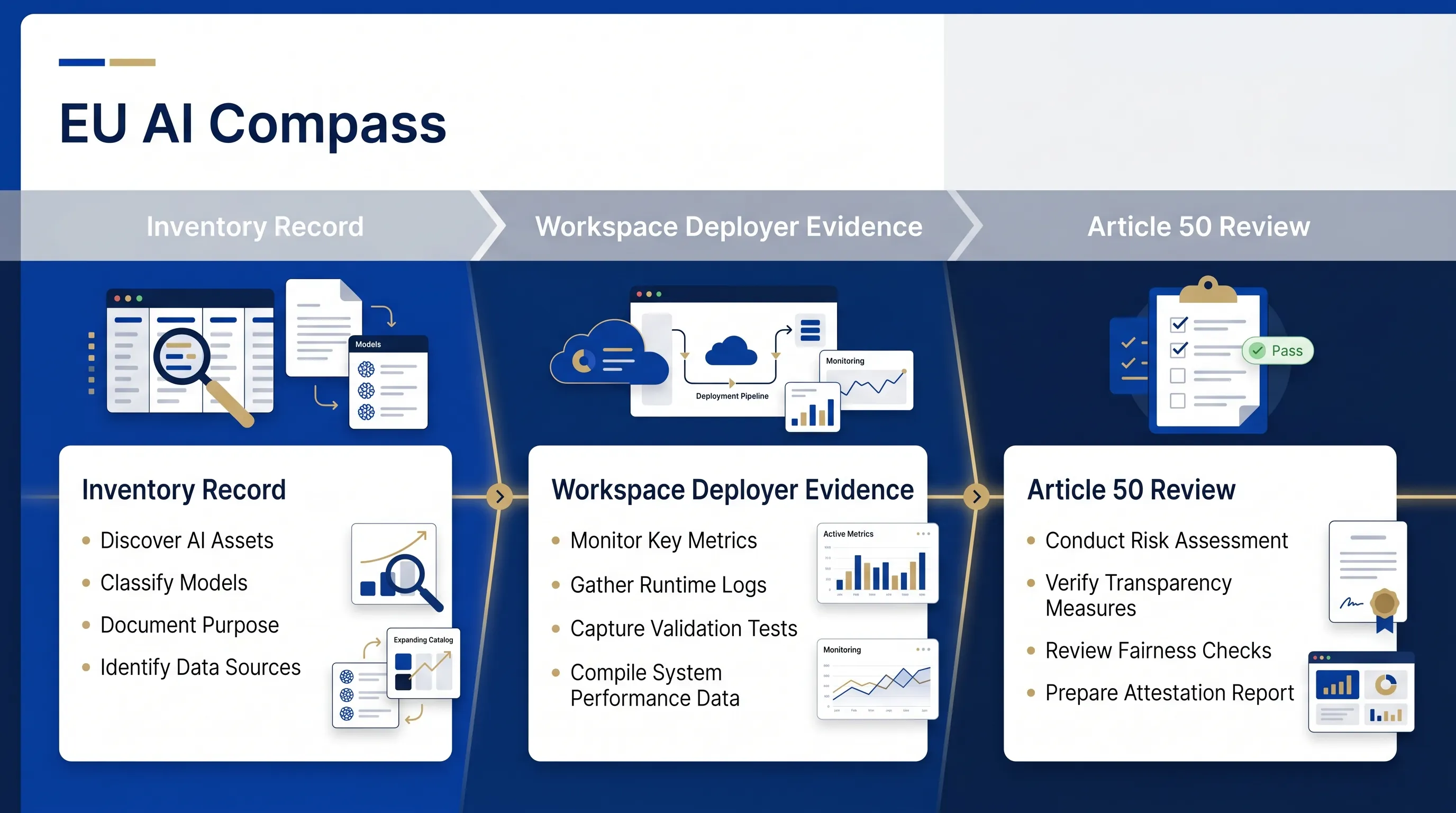
The three Google AI checks are deliberately narrow. Use one for inventory, one for Workspace deployer evidence, and one for external-output or Article 50 signals.
1. Google AI Feature Inventory Template
Use this first when the team has no clean record of where Google AI is used, who owns it, what data is touched, and where evidence will live.
Start here2. Gemini Workspace Deployer Checklist
Use this when Gemini or Workspace AI appears in Gmail, Docs, Drive, Sheets, Meet, Chat, NotebookLM, or another internal workflow.
Workspace route3. Google AI Article 50 Checker
Use this when the output reaches customers, users, external parties, the public, or people who may need to know they are interacting with AI.
Disclosure routeA three-step route for Google AI records.
Keep the first pass short. The purpose is not to decide every legal question. The purpose is to make sure later reviews do not depend on memory.
Create the inventory row.
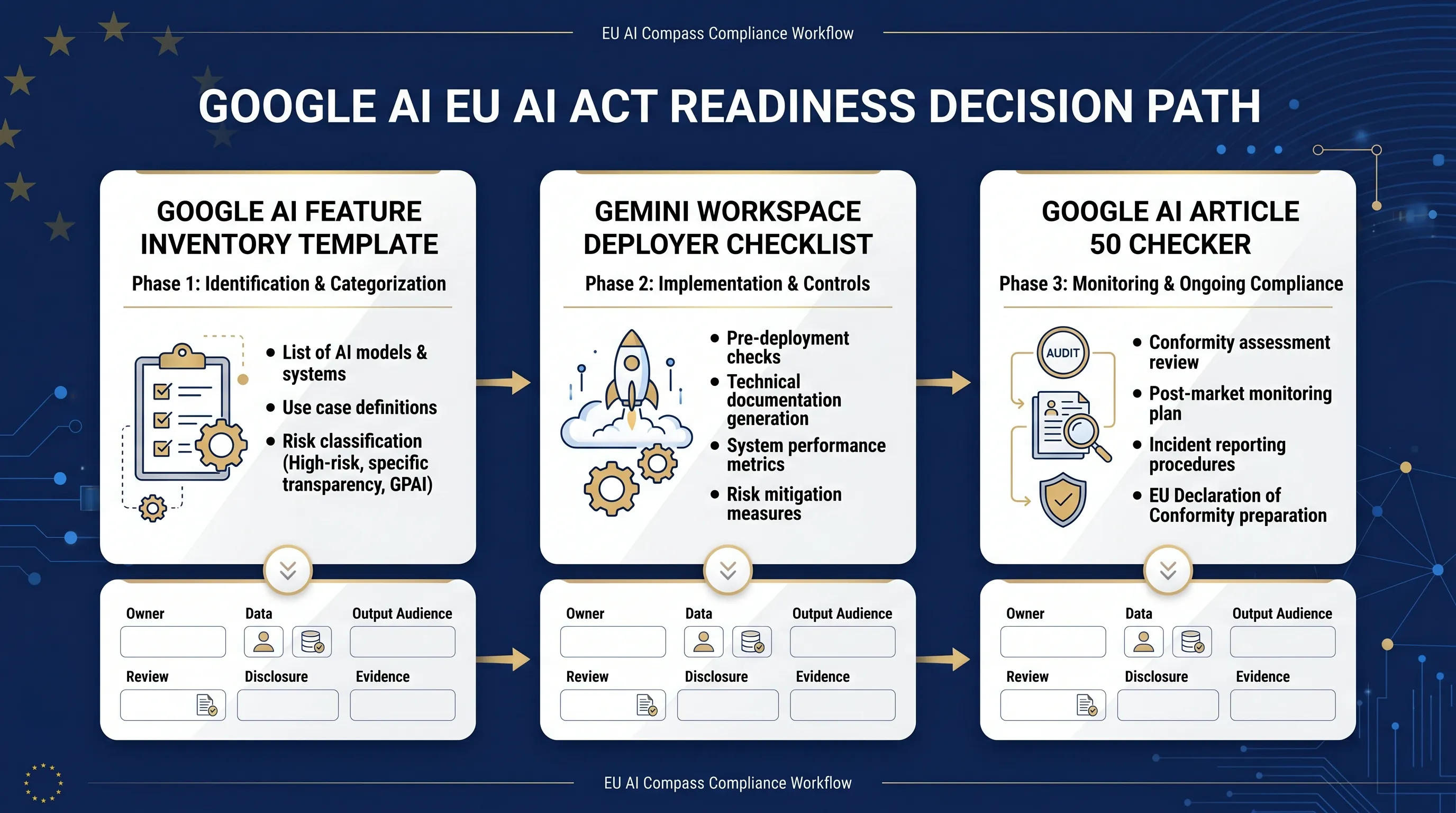
Name the Google AI feature, owner, purpose, data category, output audience, review owner, frequency, and evidence location.
Check the external-output route.
If the output is chatbot-based, synthetic, public, customer-facing, or used to inform people, run the Article 50 checker before publication or rollout.
Assign the next evidence owner.
Route the use case to deployer evidence, AI literacy, vendor evidence, privacy review, human oversight, or sector review when the facts justify it.
The guide connects the three checks into one workflow.
The inventory template creates the row. The Workspace checklist reviews deployer-side records. The Article 50 checker reviews disclosure and content labelling signals. Use only the path that fits the use case.
Route the Google AI use case to the right free record.
Use this table as the working map after the first inventory row exists.
| Google AI situation | Question to ask | Free EU AI Compass route |
|---|---|---|
| Gemini or NotebookLM used for internal drafting, summaries, or research | Do we know the owner, purpose, data category, and review step? | Google AI Feature Inventory Template |
| Gemini appears in Gmail, Docs, Drive, Sheets, Meet, or Chat workflows | Does the use need deployer evidence, AI literacy, vendor evidence, or privacy review? | Gemini Workspace Deployer Checklist |
| AI output reaches users, customers, external parties, or the public | Is there an AI interaction, synthetic content, deepfake, or public-interest text signal? | Google AI Article 50 Checker |
| Staff use Google AI without role-specific training evidence | Which roles use, approve, supervise, or rely on AI output? | AI Literacy Planner |
| Vendor or platform evidence is missing | What instructions, documentation, logging, privacy, security, and change records should be requested or retained? | Vendor Evidence Request Builder |
| The use case may affect people or regulated decisions | Does the use need human oversight, impact review, sector review, or legal review? | Evidence Route Builder |
Source basis and review limits
Last reviewed: 23 May 2026. Source basis: Google Workspace with Gemini documentation, Google I/O 2026 announcement pages, and Regulation (EU) 2024/1689. This guide is educational and operational. It does not provide legal advice, certification, official EU endorsement, or proof of compliance.
Google product availability and EU AI Act interpretation may change. Verify current Google documentation and review legal, privacy, security, sector, and procurement questions with qualified professionals before relying on the record for formal decisions.
FAQ
Google AI EU AI Act readiness questions
Short answers for teams choosing between the three free checks.
Which Google AI readiness tool should I use first?
Use the Google AI Feature Inventory Template first if the team does not have a record of where Google AI is used, who owns it, what data is touched, and who reviews the output.
When should I use the Gemini Workspace deployer checklist?
Use the Gemini Workspace deployer checklist when Google AI is used in Gmail, Docs, Drive, Sheets, Meet, Chat, NotebookLM, or related business workflows and the team needs a deployer-side evidence route.
When should I use the Google AI Article 50 checker?
Use the Google AI Article 50 checker when the output is user-facing, chatbot-based, synthetic, public, or used to inform people outside a narrow internal review group.
Does this guide decide EU AI Act compliance?
No. This guide helps route Google AI use cases to inventory, disclosure, literacy, vendor, privacy, and evidence review. It does not provide legal advice, certification, or proof of compliance.
What record should a team keep after reading this guide?
Keep a short record showing the Google AI feature, business purpose, owner, data category, output audience, review owner, Article 50 signal, AI literacy signal, vendor evidence location, and next review action.
Use the guide to choose one free check.
Start with the inventory template if you have no record. Use the Workspace checklist for deployer-side evidence. Use the Article 50 checker when output reaches users, customers, external parties, or the public.