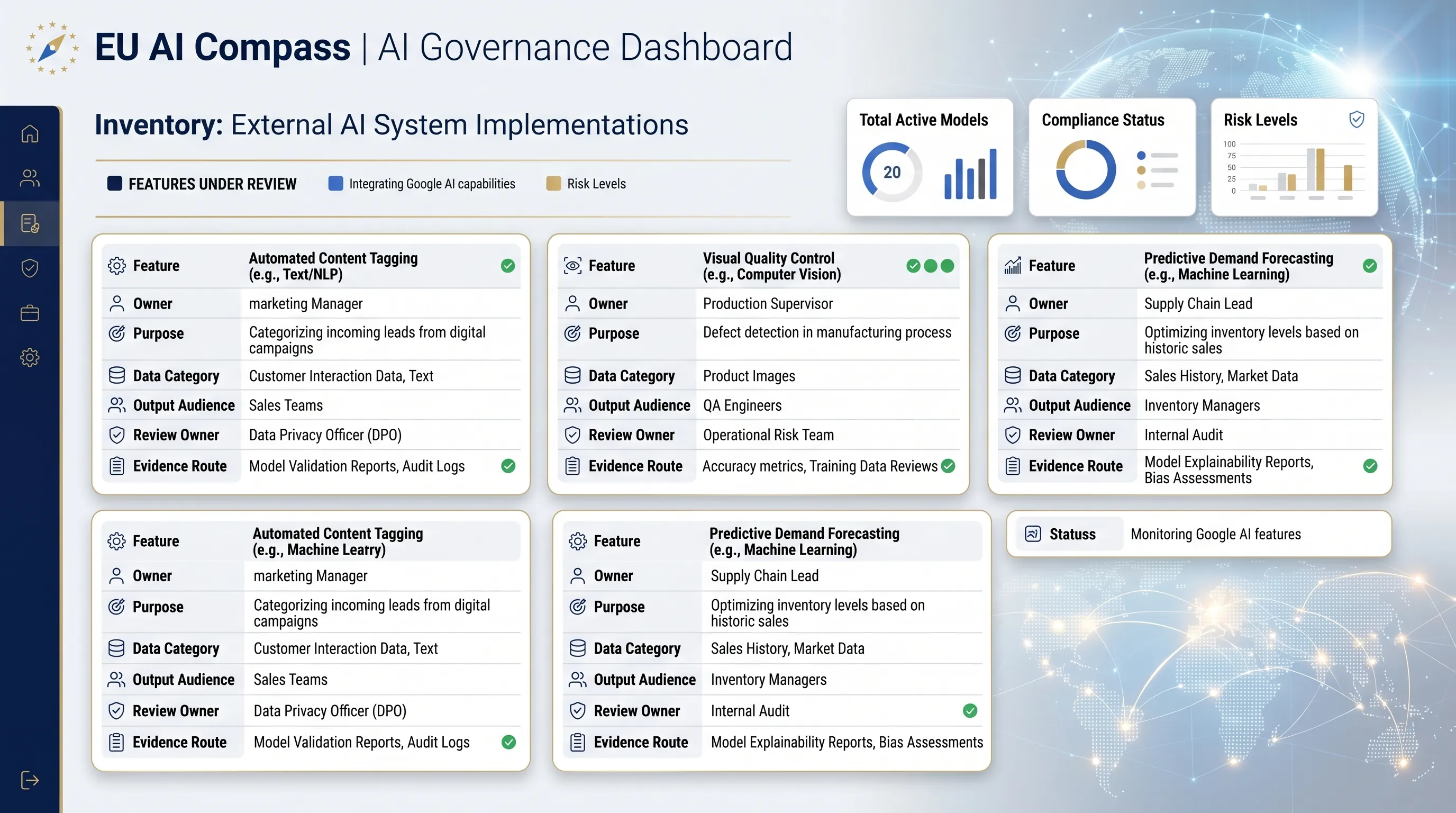
A Google AI inventory is the first control record.
Before debating Article 50, Article 4, deployer duties, vendor evidence, or privacy review, create a simple inventory entry. The entry should show which Google AI feature is used, who owns it, what data it touches, who sees the output, and which free EU AI Compass review route comes next.
Feature record
Name the Google AI surface: Gemini in Workspace, NotebookLM, Gemini app, Vids, Workspace Studio, AppSheet AI, or another business workflow.
Evidence signal
Route the use case to inventory, Article 50, Article 4, vendor evidence, privacy review, or human oversight where the facts justify it.
Review owner
Assign a person who can approve the use case, keep the record current, and escalate legal, privacy, security, or sector questions.
Keep the inventory short enough that teams will actually use it.
A useful Google AI inventory entry is not a policy document. It is a structured row that records the feature, business purpose, data touched, output audience, human review, owner, and the next free tool to run.
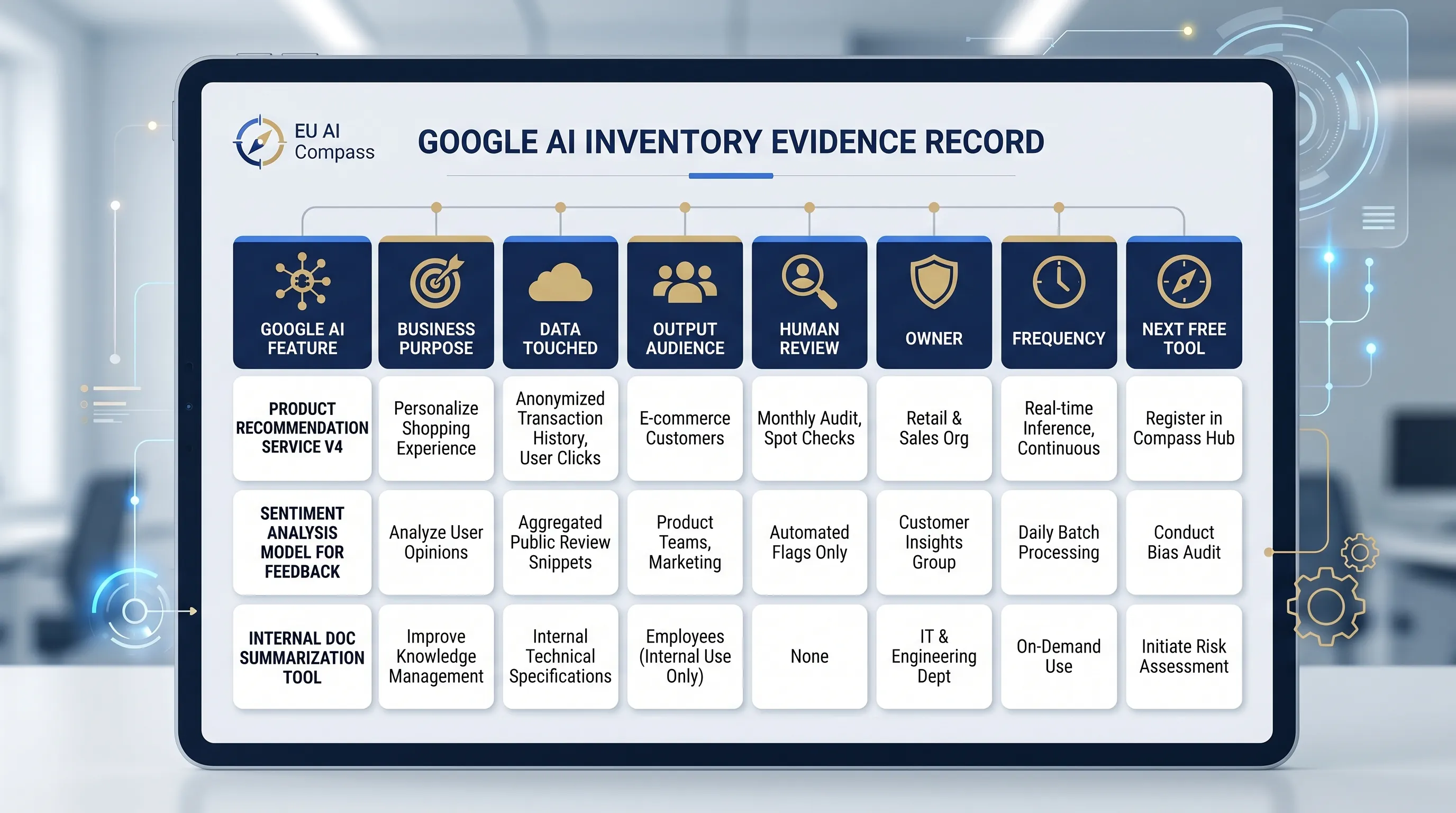
Build one Google AI inventory record.
Answer eight questions. The result gives a starter inventory record and free next-tool route. It does not decide legal status.
Minimum Google AI inventory fields
Start with these fields. Add legal, privacy, security, procurement, or sector-specific fields only when the use case needs them.
| Field | Why it matters | Example entry |
|---|---|---|
| Feature and service | Shows which Google AI surface is used. | Gemini in Docs, NotebookLM, Meet notes |
| Business purpose | Separates productivity support from decision support. | Summarise meeting notes for internal project tracking |
| Data touched | Triggers privacy, confidentiality, or sector review. | Personal data, client file, public data |
| Output audience | Routes Article 50 and communication review. | Internal, customer-facing, public |
| Human review owner | Creates accountability before output is used. | Marketing lead, DPO, product owner |
| Next evidence route | Connects inventory to action. | Article 50 checker, vendor evidence, AI literacy planner |
Route the inventory record to one free tool.
Do not run every tool. Use the next free tool that matches the risk signal in the inventory row.
Google Gemini Workspace Checklist
Use when the feature is inside Gmail, Docs, Sheets, Drive, Meet, Chat, NotebookLM, or the Gemini app.
Google AI Article 50 Checker
Use when the output is public, user-facing, synthetic, chatbot-based, or published to inform people.
Deployer Obligation Assessment
Use when AI output supports operational, customer, employee, or regulated decisions.
Vendor Evidence Request Builder
Use when procurement, legal, privacy, or security needs a structured evidence request.
AI Literacy Planner
Use when staff use, review, approve, or supervise Google AI outputs.
Human Oversight Log
Use when a person must review or override AI-assisted output before it affects a decision.
FAQ
Common questions
These answers are for quick routing. They do not replace legal, privacy, security, procurement, or sector review.
Does the Google AI inventory template decide EU AI Act obligations?
No. The Google AI inventory template creates a starter record for internal review. It does not decide legal status, high-risk classification, provider or deployer role, GDPR role, or compliance. Use it to prepare facts before legal, privacy, security, procurement, or sector review.
Which Google AI features should be recorded in the inventory?
Record Google AI features when use is repeated, material, connected to business decisions, exposed to customers or the public, or used with personal, confidential, client-sensitive, regulated, or privileged data. A one-off experiment can stay light, but repeated use should have an owner and review route.
What fields should a Google AI inventory entry contain?
A useful Google AI inventory entry should contain the service, business purpose, owner, user group, data category, output audience, human review owner, Article 50 signal, AI literacy signal, vendor evidence need, and next review route. Keep the first record short enough to maintain.
Does this page store my Google AI inventory data?
No. This free page is designed for browser-based triage and evidence planning. Do not enter confidential, personal, privileged, regulated, client-sensitive, or trade-secret information unless your organisation has approved that use and verified the page implementation.
What should I do after creating the Google AI inventory record?
Use the Google AI inventory record to route the use case to one next review: deployer obligation assessment, Article 50 checker, vendor evidence request builder, AI literacy planner, privacy review, or human oversight log. The right next step depends on data, audience, decision impact, and review ownership.
Use the inventory record to start the right review.
This free Google AI inventory template helps you identify owner, data, audience, review, training, vendor, privacy, and disclosure gaps. Use the result for triage and internal planning, then validate legal, privacy, security, and sector questions with qualified professionals.