Google Workspace AI needs a record before it needs a debate.
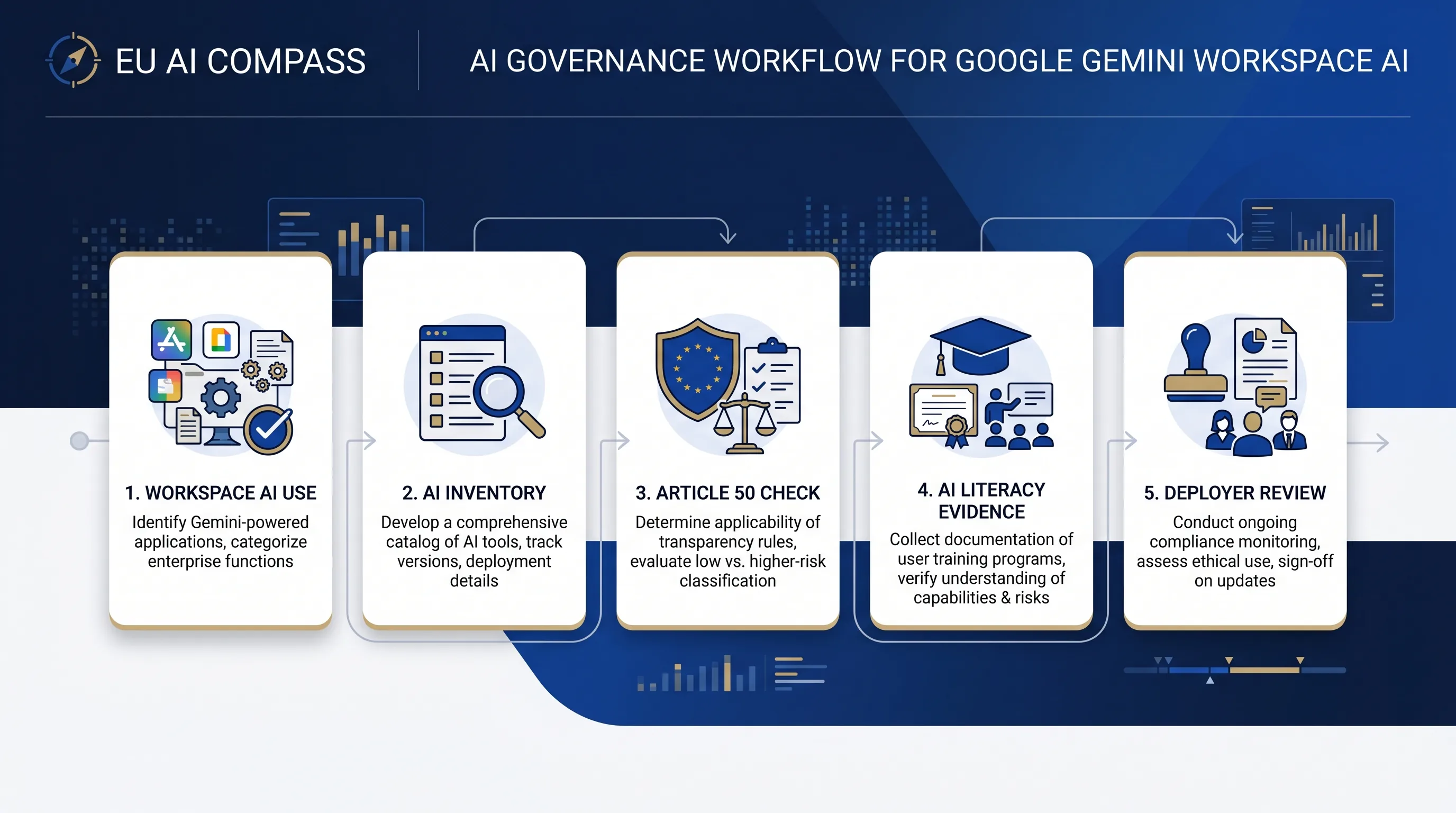
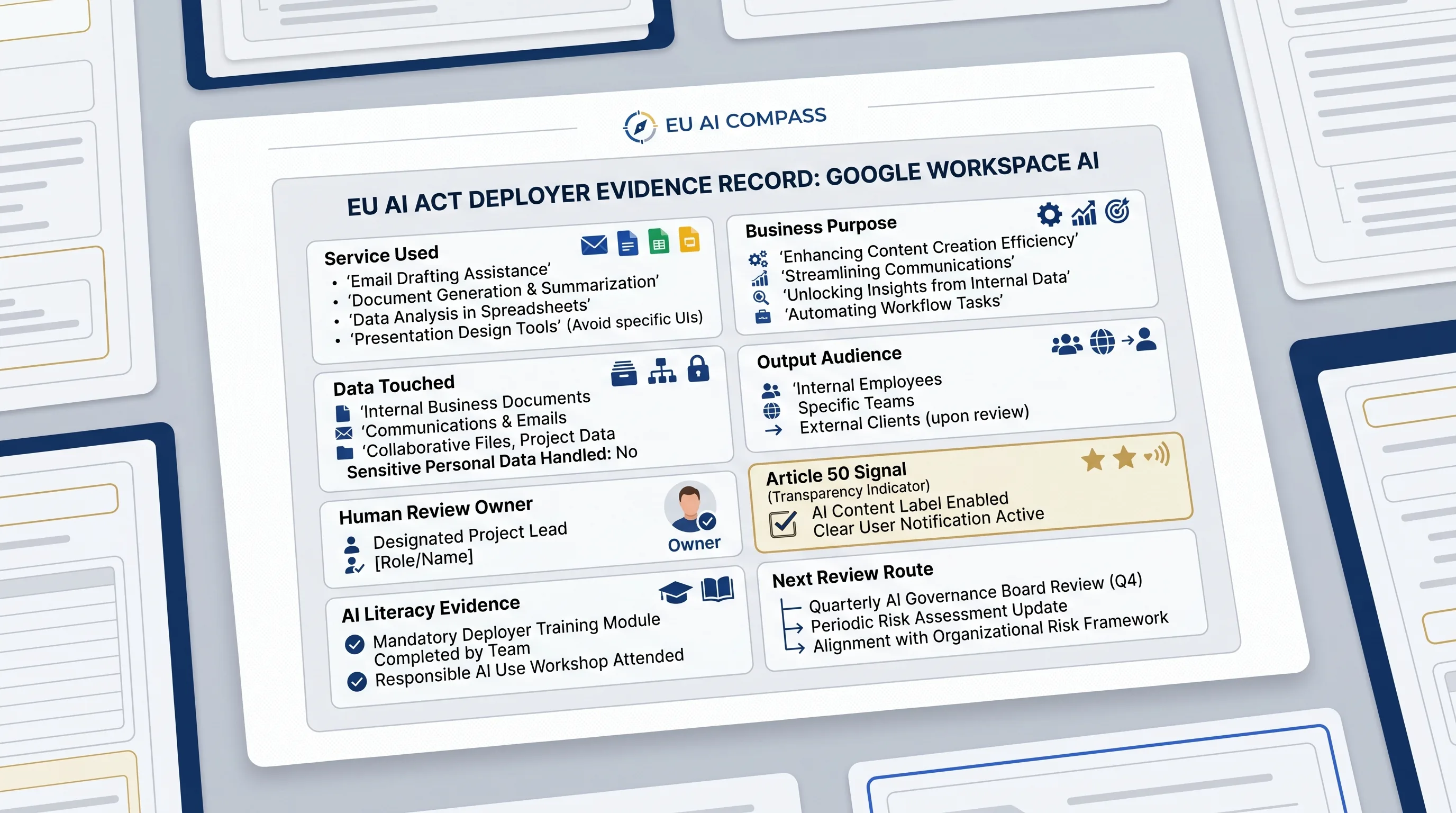
The practical first step is not to decide every legal question in one meeting. Record the AI feature, owner, business purpose, data touched, output audience, human review step, and next evidence route. That is the control point for Google Workspace AI adoption.
Inventory signal
Record repeated or material use of Gemini, NotebookLM, or Workspace AI features with owner, purpose, users, data, and evidence location.
Disclosure signal
Check Article 50 when Workspace AI creates user-facing content, chatbot interactions, synthetic media, or public-interest text.
Training signal
Update Article 4 AI literacy evidence for staff using, approving, or supervising Google Workspace AI outputs.
Keep the Workspace AI record small enough to maintain.
A useful record is not a 40-page policy. It is a short table that tells a reviewer what AI feature was used, what data it touched, who reviewed the output, whether users see the output, and which free EU AI Compass tool should be used next.
Check one Google Workspace AI use case.
Answer seven questions. The result gives an evidence route, not a legal conclusion.
Seven fields are enough for a first record.
If the team cannot fill these fields, it is too early to claim the use case is under control.
AI surface and purpose
Service used, business purpose, user group, frequency, and whether the use is experimental, operational, or customer-facing.
Data and audience
Personal, confidential, regulated, public, or low-sensitivity data, plus whether the output stays internal or reaches external people.
Owner and review
Business owner, review owner, approval step, disclosure decision, literacy evidence, and next review date.
Route the result to the right free tool.
Do not run every tool. Use the next free tool that matches the result.
AI System Inventory Template
Use when Google Workspace AI is repeated, material, or owned by a business function.
Deployer Obligation Assessment
Use when the AI output supports operational, customer, employee, or regulated decisions.
Google AI Article 50 Checker
Use when the output is user-facing, public, synthetic, chatbot-based, or published to inform people.
Vendor Evidence Request Builder
Use when procurement, legal, privacy, or security needs a Google AI evidence request.
AI Literacy Planner
Use when staff use, review, approve, or supervise Google Workspace AI outputs.
Human Oversight Log
Use when a person must review or override AI-assisted output before it affects a decision.
FAQ
Common questions
These answers are for quick routing. They do not replace legal, privacy, security, procurement, or sector review.
Does using Google Gemini in Workspace automatically create EU AI Act deployer duties?
Using Google Gemini in Workspace does not automatically create a single EU AI Act outcome. The organisation should first record the AI use case, purpose, users, data touched, output audience, and decision impact, then route the use case to inventory, Article 4, Article 50, high-risk, privacy, or vendor evidence review where relevant.
Which Google Workspace AI uses should be put in the AI inventory?
Put Google Workspace AI use in the AI inventory when the use is repeated, material, connected to business decisions, used with personal or confidential data, exposed to customers or the public, or relied on by staff. The inventory entry should name the service, owner, purpose, data category, review step, and evidence location.
Does this checklist decide whether a Google Workspace AI use case is high-risk?
This checklist does not decide high-risk status. The checklist identifies evidence routes that may need review. High-risk classification depends on the system purpose, Annex III or Annex I context, role, output use, affected persons, and legal interpretation. Use a separate high-risk classification tool or qualified review for that decision.
What should a team keep after using this checker?
Keep a short Google Workspace AI record with the service used, purpose, owner, data touched, audience, human review step, disclosure signal, AI literacy need, and next evidence route. The record should be linked to the AI inventory so later legal, privacy, security, or audit review does not depend on memory.
Is this Google Gemini Workspace checklist legal advice?
This Google Gemini Workspace checklist is not legal advice. It is an operational triage aid for inventory and evidence planning. Use the result to prepare internal review and then confirm final legal, privacy, security, procurement, or sector decisions with qualified professionals.
Use the checklist result to start your evidence route.
This free Google Gemini Workspace deployer checklist helps you identify inventory, disclosure, training, vendor, and privacy review gaps. Use the result for triage and internal planning, then validate legal, privacy, security, and sector questions with qualified professionals.