Google I/O 2026 is easy to read as a model-launch story. That misses the operational problem. AI features now sit inside the places where staff already write, search, summarize, meet, create, code, and make decisions. If those features are not assigned to owners, governance becomes guesswork.
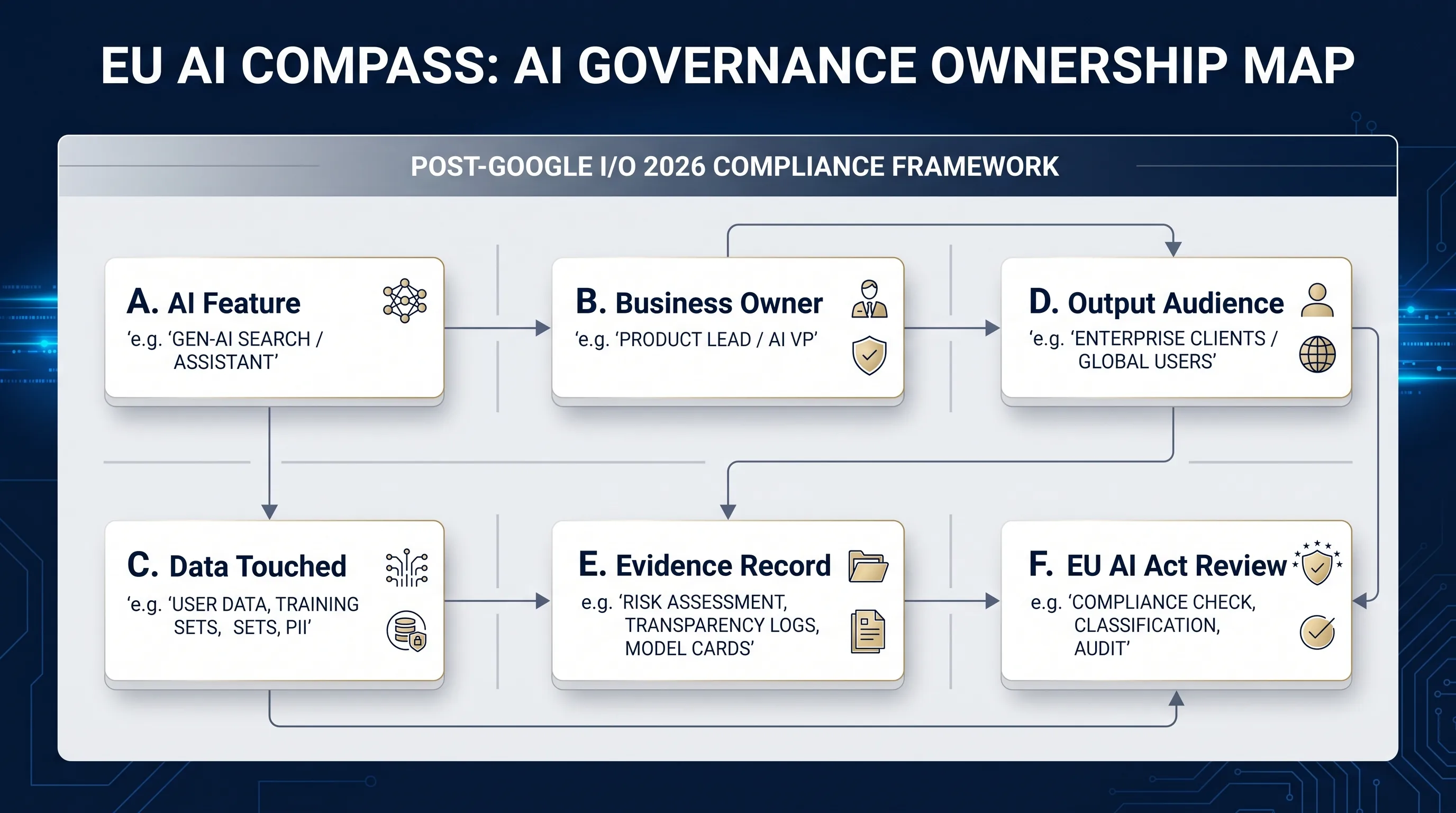
The uncomfortable part is simple. A company can approve Gemini, Workspace AI, AI-generated media, or an agentic workflow and still have no usable record of who owns the feature, what data was touched, whether output reached external people, or which evidence should be retained for EU AI Act review.
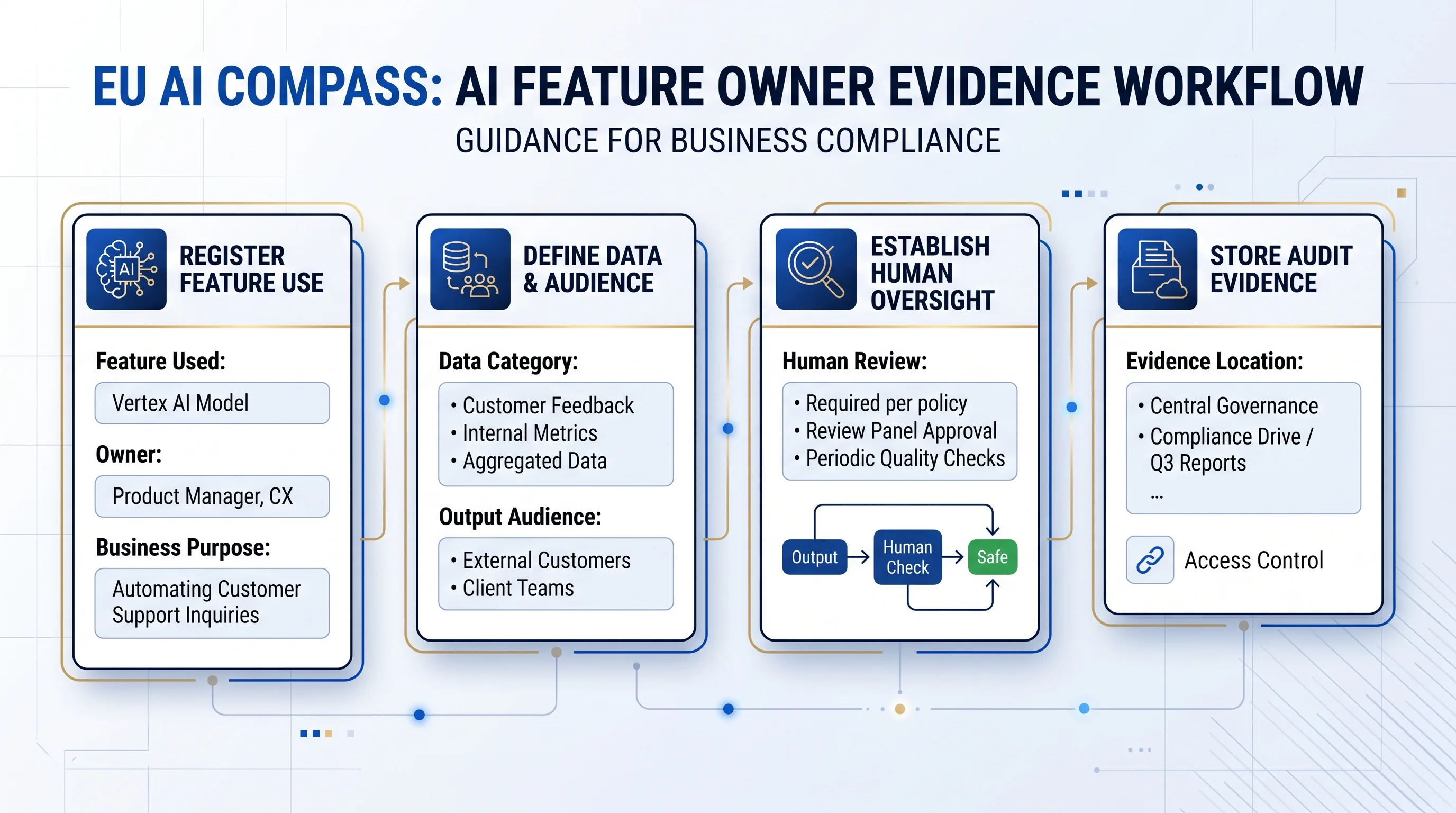
The useful question is: which AI feature is being used, by whom, for which business purpose, with what data, and with which review record?
The issue is ownership, not headlines
Google announced AI updates across Search, Gemini, creative tools, agents, coding, and Workspace-related surfaces. Some are consumer-facing. Some matter to developers. Some matter to business teams because they change how documents, emails, meeting notes, images, searches, videos, and automated tasks may be produced.
That spread creates a boring but important governance need: every meaningful AI feature needs an owner. Not a generic AI policy owner. A named business, product, security, privacy, or compliance owner who can answer what the feature does and where the record lives.
What Google AI users should document first
Do not start with a fifty-page AI policy. Start with one inventory row. The row should be simple enough that a DPO, CISO, compliance officer, product owner, or Workspace admin can complete it without a legal workshop.
- Feature used: Gemini in Gmail, Docs, Meet, Drive, Chat, NotebookLM, Vids, Gemini app, Workspace Studio, or another Google AI feature.
- Business purpose: drafting, summarizing, searching, creating media, meeting notes, customer communication, data analysis, coding, or workflow automation.
- Data touched: public data, internal confidential data, customer data, employee data, personal data, regulated data, or unknown.
- Output audience: internal only, customer-facing, external party, public, or used to inform a decision about people.
- Human review: required before external use, optional, absent, or unclear.
- Evidence location: where the inventory row, approval decision, disclosure review, vendor evidence, training evidence, and privacy note are stored.
Where EU AI Act readiness enters
The EU AI Act does not treat every business AI feature the same way. That is exactly why inventory matters. Without an inventory, teams cannot route a Google AI use case into Article 4 AI literacy, Article 50 transparency, vendor evidence, privacy review, high-risk escalation, or deployer evidence planning.
Article 4 matters when staff need sufficient AI literacy for the AI systems they operate or use. Article 50 matters when AI interaction, synthetic content, deepfake, or certain AI-generated public-interest text disclosure questions appear. Deployer duties become more specific where a high-risk AI system is involved. Privacy and procurement review may enter even where the AI Act route remains low-friction.
The three-check path before writing another AI policy
Use the three EU AI Compass checks in this order. The sequence matters because a disclosure decision without an inventory row is hard to repeat later.
1. Inventory the feature
Create a starter record for the Google AI feature, owner, purpose, data category, output audience, review owner, and evidence location.
Open the inventory template2. Check Workspace deployer records
Review whether Gemini or Workspace AI use needs inventory, AI literacy, vendor evidence, privacy, oversight, or external-output routing.
Open the Workspace checklist3. Check Article 50 signals
Use this route when Google AI output reaches users, customers, external parties, or the public, or when synthetic media and chatbot signals appear.
Open the Article 50 checkerControl map: feature, owner, evidence
| Google AI use | Governance question | Record to keep | Free EU AI Compass route |
|---|---|---|---|
| Gemini in Gmail or Docs | Is AI used to draft or revise communication that may reach external people? | Owner, output audience, review rule, disclosure decision, final approver. | Inventory template and Article 50 checker. |
| Meeting notes or summaries | Do AI notes contain personal, confidential, employee, customer, or regulated information? | Data category, retention location, review owner, privacy review signal. | Workspace deployer checklist. |
| NotebookLM or knowledge tools | Which sources are uploaded or connected, and who may access the output? | Source list, access boundary, business purpose, evidence owner. | Inventory template. |
| AI-generated images, videos, or public material | Does the output need content marking, disclosure, or provenance evidence? | Content type, channel, notice decision, human review, provenance signal. | Article 50 checker. |
| Agentic or automated workflow | Can the AI system take action, update records, call tools, or trigger downstream tasks? | Action boundary, approval step, logs, incident route, owner. | AI agent evidence builder. |
What to do this week
Pick ten Google AI use cases that already exist or are likely to appear in the next quarter. Put each one into an inventory row. Do not wait for perfect governance language.
Then mark three things: whether output leaves the company, whether personal or confidential data is touched, and whether the use could inform a decision about people. Those three signals will usually tell the team which review route to open first.